Give it a Spot.
A Spot is whatever makes sense to you: a kitchen shelf, a box in storage, your dinosaur collection. Name it your way.
 HerespotGet Herespot
 A personal inventory. For actual life.
The camping gear. That spare cable. The paper you put “somewhere safe.” Give your things a visual home on your iPhone—and a way back to them.
For iPhone · No subscription · No Herespot account
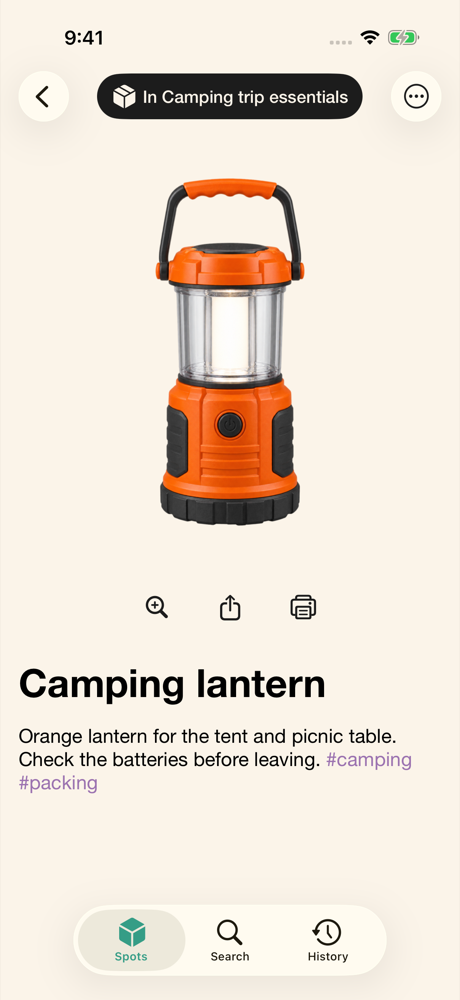
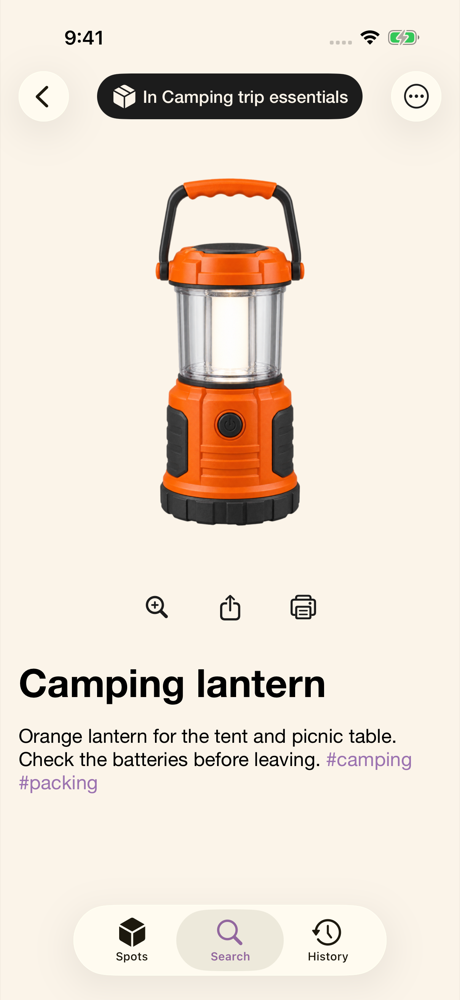
 Actual Herespot screen · example collection
Less searching. More knowing.
Herespot gives the easily forgotten parts of life a place you can see. Start with one drawer, one collection, or one trip. You don't have to organize your whole world at once.
A Spot is whatever makes sense to you: a kitchen shelf, a box in storage, your dinosaur collection. Name it your way.
Take or import a photo. Remove the background, add a name and details, and keep extra photos together. Or switch to Documents to scan a page.
Add a useful detail or a #hashtag. Later, search the name, tag, or recognized photo text to find the item and its Spot.
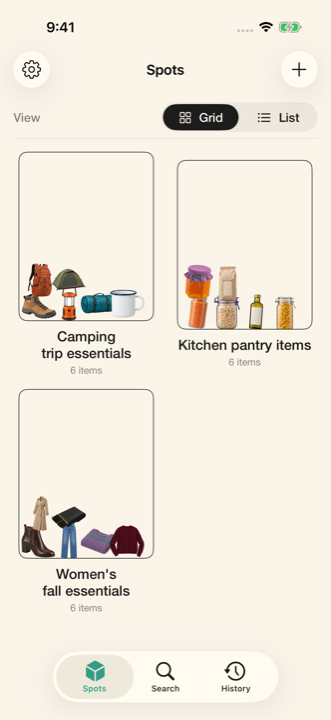
A system that fits your life
You decide what belongs together. See your things instead of trying to remember a spreadsheet row.
Not everything fits in a box
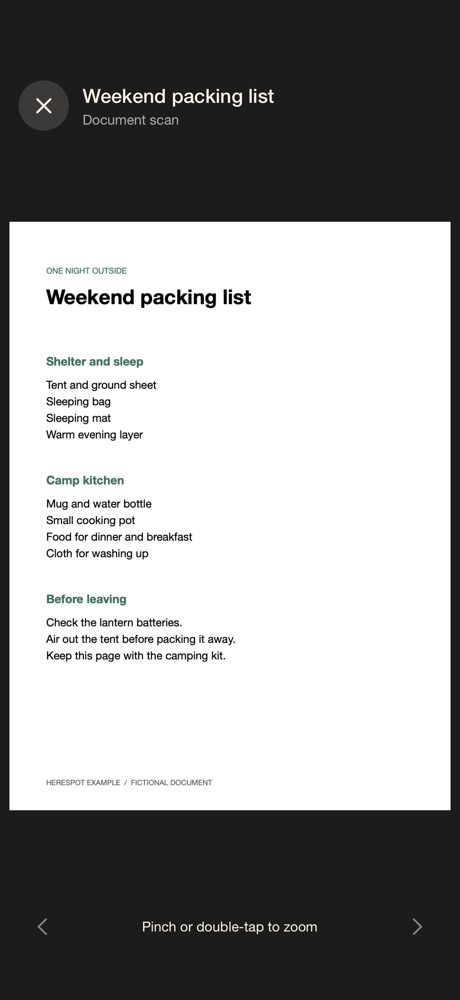
Scan a receipt, handwritten note, checklist, or useful page. Keep it with the things it relates to—not lost in your camera roll.
Shown: a fictional packing list included in Herespot. Text recognition may be imperfect; review important information.
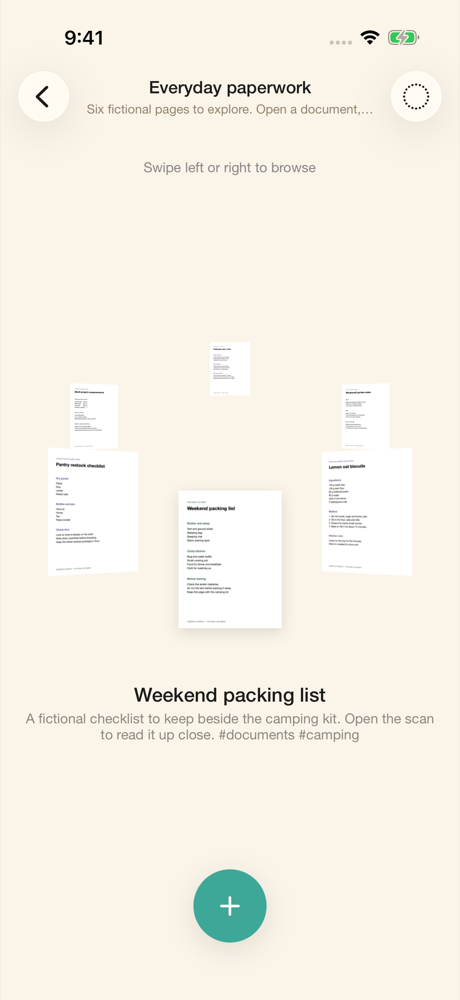
Same things. Different ways to see them.
Choose a default view for each Spot. Keep your pantry practical. Give your collection a little room to play.
A visual overview. See items side by side, with names when you want them.
A straightforward way to scan names and move through your things.
A playful physical view. Tilt your phone or sift through item images with your finger.
Swipe to rotate your collection. Bring an object—or a document—front and center.
Remember a little. Find the rest.
Search the clues you saved: a name, a hashtag, or text recognized in a photo. Herespot brings the item and its Spot back into view.
When something leaves a Spot, History helps you keep track of the change—and put it back if you need to.
Herespot remembers what you enter. It doesn't track physical objects or automatically know when you move them.
Personal inventory should feel personal.
Your inventory lives locally. Background removal and image-text recognition use on-device processing. No Herespot account to create. No inventory cloud-sync service to sign up for.
You choose when to export, share, print, or save a backup. Those actions can create copies elsewhere, and Apple device backups may include app data.
Save a full backup to Files and restore it in Herespot. Export a CSV when you want a readable spreadsheet instead. A CSV is not a full photo backup.
A little less “where did I put it?”
Objects. Documents. Collections.
One visual home on your iPhone.
Your things, documents, and collections.
No subscription. No Herespot account.
Download and purchase through the App Store. Availability varies by region.
Ask a questionBefore you make a Spot
A Spot groups things the way you think about them. It can represent a physical place, like a drawer, or a collection, like camping essentials. Add items and documents to it, then choose how you want to browse them.
No. Start with things you regularly forget, a collection you care about, or one useful place. You can take a new photo, import an existing one, or scan a document.
Herespot stores your collection on your device and doesn't provide inventory cloud sync. Sharing, exporting, and backups are actions you choose. Apple device backups and your chosen storage providers may hold copies.
Deleting the app removes its local inventory and media. First save a full backup outside the app's folder. Restore that backup in Herespot on your iPhone. Keep more than one dated copy; a backup only contains what you had saved when you made it.
CSV export is useful for reading your inventory in a spreadsheet. It doesn't include the full media collection needed for restoration. Use Backup & Restore for a full Herespot backup.
No GPS, tags, or physical tracking are involved. Herespot helps you find the information you've saved. Keep an item's Spot and details up to date when you move it.
Herespot is made for iPhone. This release is not available for Android, iPad, or Mac.
Example sets are optional. Settings includes Clear onboarding examples when samples are present, which also removes their linked History entries. See the privacy details for how local records and backups are retained.